A DocFetcher Alternative for Searching Documents by Meaning
Short answer: The right DocFetcher alternative depends on why you are switching. If exact keywords already find your files, free DocFetcher is still a good choice. If you need to find documents by what they mean, or search scanned PDFs without a separate OCR step, an offline semantic search tool such as Fossick is a better fit.
Free to try (1 folder, 200 files) · US$19.99 beta price · Mac & Windows
DocFetcher has earned its reputation. It is a free, open-source desktop search tool that indexes the text inside your documents and finds them quickly when you know the words to type. For many people that is all they need.
Other people go looking for a DocFetcher alternative for two reasons. They remember what a document was about but not the wording inside it. Or their folders are full of scanned PDFs and photographed pages that a text index cannot see. This article covers what DocFetcher does well, where exact-word search runs out, and when a meaning-based tool with built-in OCR is the better choice.
What DocFetcher does well
DocFetcher is a capable, free full-text search tool for people who know which words to look for.
It builds a local index of the text inside your files. Searches then return results without scanning the whole disk each time, which is the classic approach described in background on desktop search tools. Its strengths are real:
- Free and open source. No cost and no account.
- Cross-platform. Runs on Windows, macOS and Linux, and a portable version is available.
- Broad format support. It reads PDFs, Office and OpenOffice documents, HTML, plain text and common archive formats.
- Precise query syntax. It supports phrase search, boolean operators (AND, OR, NOT) and wildcards, along with other operators for fine-tuning.
- Fully local. Your index and documents stay on your machine.
Say you are hunting for an exact clause number, a part code or a client's surname. DocFetcher's precision is hard to beat. That use case does not need replacing.
Where exact-word search runs out
Keyword search fails when the words you type are not the words in the document.
A full-text index records which terms appear in which files and matches your query against those terms. SQLite's documentation on how full-text keyword indexes work shows the general mechanism: it matches tokens, not ideas. DocFetcher's Lucene engine is more sophisticated, but the principle is the same.
In practice that creates a few common failure points:
- You remember the gist, not the phrasing. You search "client unhappy with delivery timeline", but the email said "concerns about the revised schedule".
- Synonyms and jargon vary. One report says "termination", another says "exit provisions" and a third says "ending the agreement early".
- Too many hits. A common word like "budget" matches hundreds of files, and you scroll through all of them.
- Text that isn't text. A scanned contract is just an image to a text index, so it never appears in results.
Our guide to semantic search vs keyword search covers this difference in more detail.
Fossick: a DocFetcher alternative that searches by meaning
If your problem is recall rather than precision, a semantic search tool finds documents by what they mean, not by the exact words inside them.
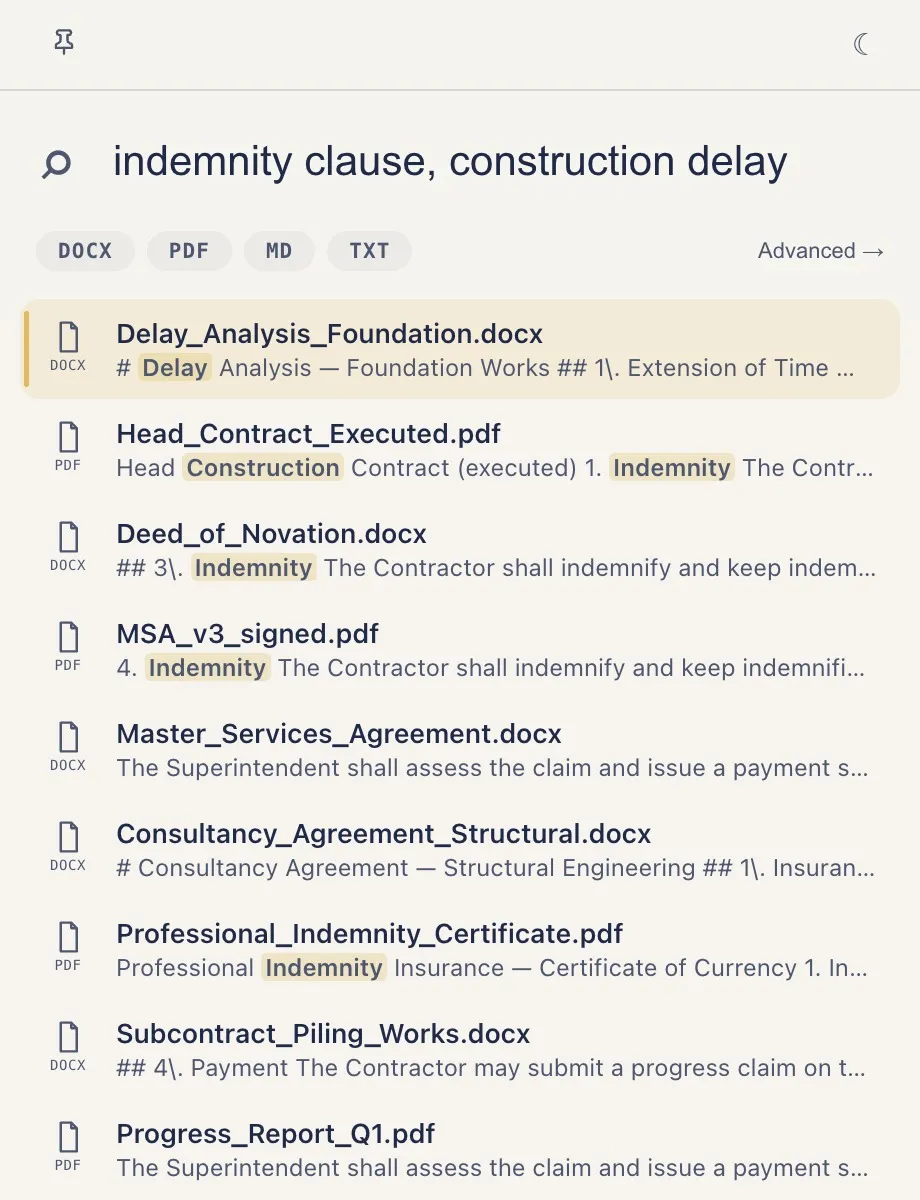
Fossick is a desktop app for Windows and Mac that searches your local documents by meaning, entirely offline. You type what you remember, such as "memo about relocating the Brisbane office" or "spec for vibration limits on the pump mount". It returns the documents whose content is closest in meaning, even when they use different wording.
The technique behind this is sentence embeddings. Each passage of text becomes a list of numbers, and passages with similar meanings end up close together. This is the general approach described under semantic search. Fossick uses the open all-MiniLM-L6-v2 model, which produces 384-dimension vectors. It is quantized to about 22 MB and runs locally on your computer.
What Fossick is not matters just as much:
- It is search, not chat. There is no chatbot, no generative AI and no summaries. It shows you the matching documents, and you read them.
- It does not upload anything. Text extraction, OCR, embedding and search all run on the device. It works with Wi-Fi off. Only licensing touches the internet.
On speed, a 52-document test folder measured about 15-20 ms median per semantic search. The test ran on an Apple M1 MacBook with 8 GB RAM in September 2026. Re-indexing is incremental, so only new or changed files are processed again.
Scanned PDFs and images: built-in OCR
If much of your archive is scanned, a tool with on-device OCR saves you a separate conversion step.
DocFetcher indexes text that already exists inside files. An image-only PDF from a scanner, or a photo of a whiteboard, holds no text layer for it to read. To make those searchable you would first run them through a separate optical character recognition tool, then point DocFetcher at the output.
Fossick runs OCR automatically on scanned PDFs and images (PNG, JPG) during indexing, on the device. Recognised text then becomes searchable by meaning, like any other document.
In the same September 2026 test, the 52-document folder took about 81 seconds to index from scratch on the M1 MacBook. The folder mixed Word, PDF (including scanned pages), Excel, CSV and Markdown, and the time includes model loading and OCR. Re-checking the unchanged folder took about 7 seconds.
For more on this workflow, see how to search scanned PDFs and images locally.
DocFetcher vs Fossick at a glance
The short version: DocFetcher is the precise, free keyword tool, and Fossick is the meaning-based tool with OCR built in.
| DocFetcher | Fossick | |
|---|---|---|
| Search type | Exact words, phrases, boolean | Meaning (semantic) |
| Scanned PDFs / images | Needs separate OCR first | On-device OCR built in |
| Platforms | Windows, macOS, Linux | Windows, Mac |
| Cost | Free, open source | One-time purchase |
| Runs offline | Yes | Yes, works with Wi-Fi off |
Fossick handles PDF, Word (.docx, .doc), Excel (.xlsx), PowerPoint (.pptx), OpenDocument text (.odt), plain text, Markdown, CSV, HTML, email files (.eml, .msg), and PNG and JPG images. It is a single US$19.99 one-time purchase with every update included and a 14-day money-back guarantee; details are on the pricing page. You can try it free with no sign-up or card on 1 folder of up to 200 files.
When to stay with DocFetcher, and when to use both
Stay with DocFetcher if exact-term searching already gets you to the right file. Add a semantic tool when you regularly search for documents you can only describe.
DocFetcher is likely the better fit if:
- You mostly search for exact identifiers, names, codes or quoted phrases.
- You rely on searching inside archive files.
- You work on Linux.
- Your documents are born-digital, so OCR isn't a concern.
A meaning-based alternative fits better if:
- You remember topics and context, not wording.
- Your folders contain scanned contracts, receipts or photographed pages.
- You handle confidential files and want OCR and search to stay on the device, with no cloud step.
Running both is entirely reasonable. Keyword and semantic search answer different questions. Many professionals keep a precise keyword tool for "find this exact clause" and a semantic tool for "find that memo about the supplier dispute". If you are comparing other keyword tools too, our Agent Ransack alternative and Recoll for Windows and macOS guides apply the same approach. To test semantic search on your own files, download Fossick and point it at one folder.
Frequently asked questions
Is DocFetcher still a good choice?
Yes, for exact-word searching. It is free, open source, cross-platform and supports precise query syntax. It is less suited to finding documents when you can't recall the wording, or to searching scanned files that have no text layer.
Does DocFetcher do OCR on scanned PDFs?
DocFetcher indexes text that already exists in files, so image-only scans and photos need to go through a separate OCR tool first. Fossick runs OCR on scanned PDFs and PNG/JPG images automatically during indexing, on your device.
Is there a DocFetcher alternative for Mac that searches by meaning?
Fossick runs on both Mac and Windows and searches local documents by meaning rather than exact keywords. All indexing, OCR and search happen offline on your computer, and documents are never uploaded.
Does Fossick use AI to answer questions about my documents?
No. Fossick uses a small on-device embedding model to compare meaning, but it is search, not chat. There is no chatbot, no generative AI and no summaries; it returns the documents that match, and you open them yourself.
Can I use DocFetcher and Fossick together?
Yes. They can index the same folders independently. Many people use a keyword tool for exact terms and a semantic tool for searches where they only remember the general idea.